Table of Contents
- What Payment Processing Equipment a Small Cafe Actually Needs
- POS Systems for Coffee Shops: Counter, Tablet, and Handheld Options
- Credit Card Machines for Small Business: Terminals, Readers, and Rates
- Mobile Card Reader for Cafes: Taking Payment Off the Counter
- POS System With Inventory Management: Tracking Milk, Beans, and Cups
- Total Cost of Ownership: What Payment Processing Equipment Really Costs
- Connectivity, Security, and Compliance at the Counter
- Conclusion
- Frequently Asked Questions
Last Updated: October 14, 2026
What Payment Processing Equipment a Small Cafe Actually Needs
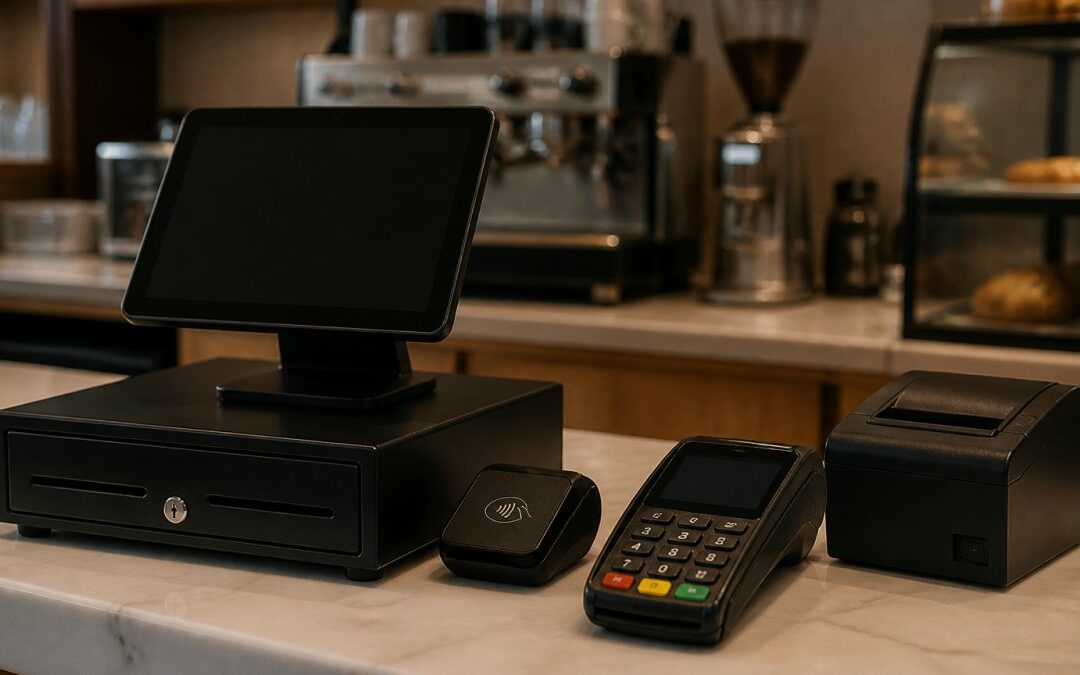
Payment processing equipment for small cafes is the set of hardware and software that lets you accept cards, tap-to-pay, and mobile wallets at the counter and beyond it.
Four pieces do the real work at a cafe counter:
- A POS system (tablet or terminal) that rings up orders and tracks sales
- A card reader or payment terminal that accepts credit and debit cards
- A receipt printer and cash drawer for paper trails and cash payments
- A kitchen or bar printer so drink tickets reach the barista without shouting
Get those four right and the rest is detail. Get them wrong and you will fight your counter every morning rush.
POS Systems for Coffee Shops: Counter, Tablet, and Handheld Options
A coffee shop POS system comes in three shapes, and the right one depends on your service model, not your budget. Counter-mounted terminals suit high-volume cafes with a fixed register line. Tablet POS setups work well for smaller spaces and lower ticket counts. Handheld devices shine when staff take orders at the table or in a queue.
What most guides skip is the part that actually matters: the full hardware stack that has to work together at the counter. A POS is not one box. It is a combination, and the combination changes with how you serve customers.
Equipment setups by cafe service model
Counter-service kiosk (walk-up window, market stand, small footprint)
- Tablet POS on a stand or dock
- One countertop card reader with tap, chip, and swipe
- Compact receipt printer
- Cash drawer (optional if you are card-only)
- No kitchen printer needed if drinks are made at the same counter
Small sit-down cafe (table service or order-at-counter-then-sit)
- Tablet or counter terminal at the register
- Handheld card reader for tables and patio
- Receipt printer at the counter
- Kitchen or bar printer so tickets reach the barista station
- Cash drawer for cash and tip handling
- Customer-facing display so guests see the total before they tap
High-volume takeaway shop (morning rush, mobile order pickup)
- Full counter terminal rated for heavy daily volume
- Second register or a second tablet station for peak hours
- Handheld reader for the pickup line
- Kitchen printer plus a second printer at the bar
- Barcode scanner if you sell packaged retail (beans, merch)
- Customer-facing display to speed checkout and reduce order errors
What to check before you buy the screen
The POS software matters more than the hardware brand. Order management, modifiers (oat milk, extra shot, no whip), split payments, and tip prompts are software features. Check those before you fall in love with a display.
Three practical checks:
- Does the software support your modifiers and sizes? A drink with four modifiers should ring up in seconds, not five taps.
- Can you add a second station later? Cloud-based POS systems usually let you add a tablet or terminal without rewiring.
- Does the hardware list match your counter? Measure your counter space before you order a full terminal, printer, drawer, and display.
Buy the stack, not the screen. A cheap tablet with the wrong printer, no kitchen ticket routing, and no customer display will cost you more in rush-hour friction than a slightly pricier setup that fits your service model.
Credit Card Machines for Small Business: Terminals, Readers, and Rates
A credit card machine for a small business is only as good as the rate behind it. The hardware is often free or cheap; the processing rate is where you actually pay, month after month, for as long as you take cards. But the rate is only one line in the real cost of owning the equipment.
The three rate structures
- Flat rate: one percentage per swipe, simple but usually costs more at volume
- Interchange-plus: the card networks’ cost plus a fixed markup, typically the cheapest for busy cafes
- Tiered pricing: bundled categories that are hard to audit, and where hidden costs tend to hide
What drives your effective processing rate
Your effective rate is total fees divided by total card sales, and it moves with three things: card type (rewards cards cost more to accept than basic debit), transaction size (small tickets carry a bigger fixed-fee bite), and whether cards are keyed in versus tapped. A cafe with a lot of small debit purchases will see a very different effective rate than one selling $40 brunch tickets.
Tiered pricing plans often look cheapest on the quote sheet and cost the most in practice. If a processor will not show you the interchange-plus breakdown, that is your answer.
Total cost of ownership: the two-year picture
The sticker price of a terminal tells you almost nothing. What matters is the two-year picture: hardware, monthly fees, processing rates, accessories, warranties, and replacement costs.
| Cost Category | What to Check | Why It Matters |
|---|---|---|
| Hardware | Purchase, lease, or free-with-processing | Free equipment usually ties to a contract term |
| Monthly fees | Statement, PCI, gateway, minimums | Small fees add up across 24 months |
| Processing rates | Interchange-plus vs. flat vs. tiered | The biggest line item for busy cafes |
| Accessories | Receipt paper, cables, stands, spare reader | Easy to overlook, adds up over time |
| Warranty and replacement | Coverage length, who pays shipping, loaner policy | A dead terminal during a rush costs real sales |
| Support | Local vs. call-center, hours, response time | Downtime during a rush costs real sales |
| Contract | Term length, early termination fee | Locks you in even if service disappoints |
Buying, leasing, and support terms
Three ownership paths, and each has a trade-off:
- Buy outright: highest upfront cost, no contract lock-in, you own the hardware and can switch processors more easily.
- Lease: lower upfront cost, but you may pay more than the hardware is worth over the term, and leases can be hard to exit.
- Free-with-processing: no upfront cost, but the hardware is tied to a processing contract, and the rate is where the cost lives.
Before you sign, get these in writing:
- Contract length and early termination fee
- Warranty length and what it covers
- Replacement policy and turnaround time
- Support hours and whether it is local or call-center
- Whether the equipment works with another processor if you switch
Ask any processor for a two-year cost estimate in writing, using your actual monthly card volume. The quote that survives that exercise is the one worth signing.
Local Credit Card Processing takes a different approach here: free equipment, transparent pricing, and dedicated local tech support, so you are not paying upfront for hardware or chasing a call center when a terminal fails on a Saturday.
Mobile Card Reader for Cafes: Taking Payment Off the Counter
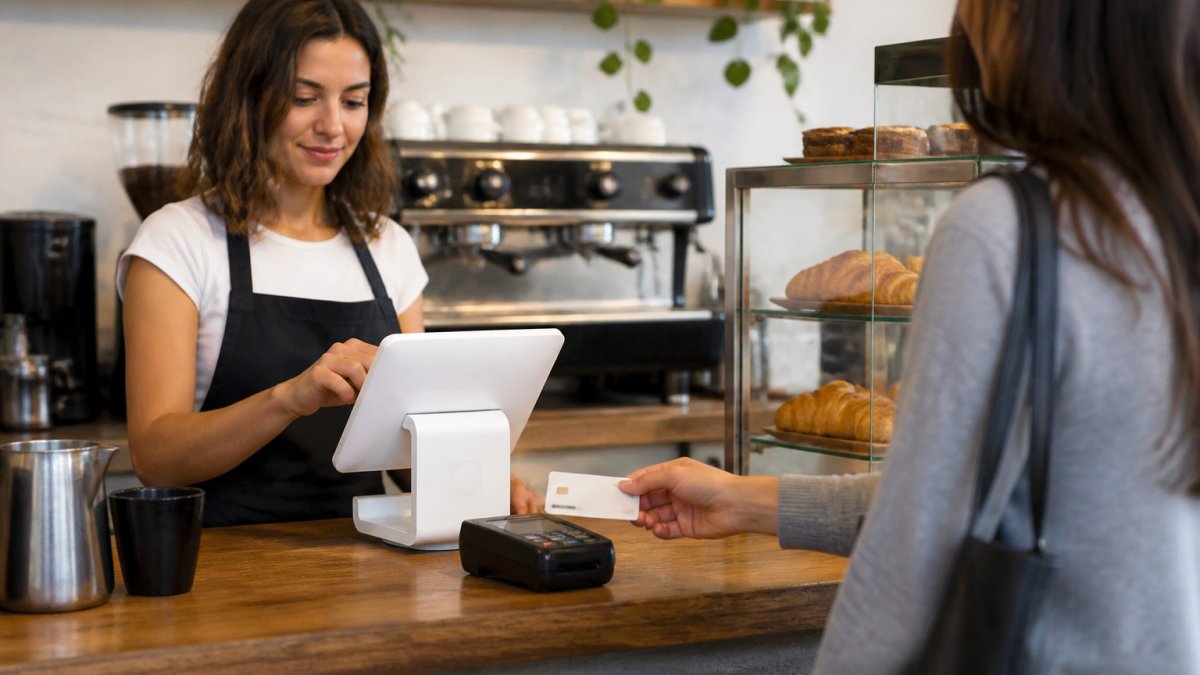
A mobile card reader for cafes solves the line problem. When a customer orders at the counter but waits at a table, or when you run a weekend market stand, a handheld reader lets staff accept contactless payments anywhere on the floor.
Two practical rules apply here. First, the reader should run on the same merchant account as your counter terminal, so all sales land in one reporting dashboard.
For cafes with a patio or a pickup window, a handheld terminal is often the single upgrade that shortens the lunch line most.
POS System With Inventory Management: Tracking Milk, Beans, and Cups
A POS system with inventory management turns your register into a stock tracker, and for a cafe that is where the real savings hide. Milk, beans, cups, lids, and syrups are consumables with thin margins. If you are not tracking them against sales, you are guessing.
Here is how a practical setup works:
- Every drink recipe deducts its ingredients from inventory automatically
- Low-stock alerts fire before you run out mid-rush
- Weekly reports show usage versus sales, exposing waste and theft
- Reorder points trigger when a staple drops below your threshold
The mistake we see most often is cafes buying inventory software as a separate tool that never talks to the register. That creates double entry and abandoned spreadsheets. Pick a POS where inventory, sales tracking, and sales reporting live in one system, even if the feature list looks shorter.
Total Cost of Ownership: What Payment Processing Equipment Really Costs
Total cost of ownership is where the “free equipment” conversation gets honest. The sticker price of a terminal tells you almost nothing. What matters is the two-year picture: hardware, monthly fees, processing rates, and support.
| Cost Category | What to Check | Why It Matters |
|---|---|---|
| Hardware | Purchase, lease, or free-with-processing | Free equipment usually ties to a contract term |
| Monthly fees | Statement, PCI, gateway, minimums | Small fees add up across 24 months |
| Processing rates | Interchange-plus vs. flat vs. tiered | The biggest line item for busy cafes |
| Support | Local vs. call-center, hours, response time | Downtime during a rush costs real sales |
| Contract | Term length, early termination fee | Locks you in even if service disappoints |
Local Credit Card Processing takes a different approach here: free equipment, transparent pricing, and dedicated local tech support, so you are not paying upfront for hardware or chasing a call center when a terminal fails on a Saturday.
Connectivity, Security, and Compliance at the Counter
Connectivity is the failure point nobody plans for. Your internet will go down at some point, and the question is whether your cafe keeps selling. Look for equipment with offline payment mode, which stores transactions locally and settles them when the connection returns. Without it, a dropped line means turning customers away.
Security and compliance matter just as much. If you accept cards, you are responsible for protecting that data, and the PCI Security Standards Council guidelines spell out what that requires.
Two more checks worth making:
- Accessibility: card readers should be reachable from a seated position, and terminals should support tactile keys for customers who need them
- Staff training: a five-minute walkthrough on refunds, voids, and offline mode prevents most counter errors
Conclusion
The hard part of buying payment processing equipment for small cafes is not picking a terminal. It is seeing through the pricing, the contract terms, and the “free hardware” offers that quietly cost more over two years.
Local Credit Card Processing provides free equipment so there is no upfront cost, transparent pricing so you can see what you are paying, and dedicated local tech support with 24/7 availability so a dead terminal never costs you a morning rush. Get started today and take the guesswork out of your counter.
Frequently Asked Questions
What payment equipment does a small cafe need to get started?
A basic setup covers four items: a POS terminal or tablet with cafe software, a card reader that accepts chip and contactless payments, a receipt printer, and a cash drawer for the customers who still pay in bills. If you serve food, add a kitchen printer or display so orders reach the line without shouting. Most single-counter cafes can run all of this on one tablet and one countertop terminal, then add a handheld reader once mobile orders pick up.
Can a cafe use a tablet as a POS system?
Yes, and many small cafes do. A tablet running a cafe-focused POS app handles order entry, modifiers, sales tracking, and card acceptance through a paired reader. The trade-offs are durability and connectivity: tablets are not built for a wet, hot counter, so use a stand and a case, and make sure the app can queue transactions when Wi-Fi drops. For a two- or three-terminal cafe, a dedicated terminal often holds up better over years of daily use.
What should a cafe look for in a credit card machine?
Prioritize contactless and mobile wallet acceptance, since a large share of cafe transactions are tap-to-pay. Check the effective processing rate rather than the advertised headline rate, and ask whether equipment is included or billed monthly. Confirm the machine can run offline and store transactions until the connection returns. Finally, ask about local support and repair turnaround, because a dead terminal at the morning rush costs more than any rate difference.
Can cafe POS equipment integrate with inventory and online ordering?
Most modern cafe POS platforms connect inventory tracking, online ordering, and payroll in one system. When a barista rings up a latte, the system deducts milk and beans from inventory, which makes reordering faster and reduces waste. Online orders can flow into the same ticket queue as counter orders. Before you commit, ask the provider which integrations are native and which need a paid add-on, because that difference shows up in your monthly bill.
Recent Comments