Table of Contents
- Why Contactless Payment Options Matter for Small Businesses
- Payment Methods for Small Businesses: Cards, Wallets, and More
- Mobile Payment Apps for Small Businesses: What to Compare
- Tap to Pay for Small Business: Turn a Phone Into a Terminal
- Contactless Payment Terminals: Readers, Hardware, and Costs
- How to Choose Contactless Payment Options for Small Businesses
- Security, Connectivity, and Implementation Checklist
- Frequently Asked Questions
Last Updated: October 21, 2026
Why Contactless Payment Options Matter for Small Businesses
Contactless payment options for small businesses are the range of ways a customer can pay without physically swiping or inserting a card: tapping a card or phone on a terminal, paying through a digital wallet, or sending funds through a mobile app. Below, we break down each option, what it actually costs beyond the advertised rate, and how to pick one that fits your counter.
Payment Methods for Small Businesses: Cards, Wallets, and More
Start with the four methods that cover nearly every counter sale. Each one changes what hardware you need and how fast the line moves.
- Contactless cards: A credit or debit card with an embedded chip and radio antenna. The customer taps near the reader; no PIN for small amounts under the issuer’s limit.
- Digital wallets: Apple Pay, Google Pay, and Samsung Pay store a tokenized card on the phone. The customer authenticates with face or fingerprint and taps.
- Mobile payment apps: Apps like Venmo, Cash App, and PayPal let customers pay by QR code or app transfer. Good for informal or service settings, weaker for high-volume retail because settlement is slower.
- Mobile point of sale (mPOS): A card reader paired to a smartphone or tablet, turning the device into a payment terminal.
The method you accept should match how your customers already pay. A repair shop taking deposits by phone benefits from app-based invoicing; a coffee counter benefits from tap-and-go.
Mobile Payment Apps for Small Businesses: What to Compare
Mobile payment apps for small businesses differ most on settlement speed, fee structure, dispute protection, and whether they integrate with your accounting. That is where the real comparison happens, not on the app store rating. The table below groups apps by how they actually move money, because that determines what you can and cannot do with the funds.
| App type | Typical examples | Best for | Fee model | Settlement | Dispute protection |
|---|---|---|---|---|---|
| Peer-to-peer app | Venmo, Cash App | Service deposits, informal sales, splitting a bill | Free between individuals; business profiles carry a percentage fee | Often instant to the app balance, then 1-3 business days to the bank | Limited; designed for person-to-person, not merchant disputes |
| Processor app bundled with a merchant account | Square, PayPal Zettle, Clover Go | Retail counters, repeat sales, tableside | Percentage of transaction, sometimes plus a fixed per-transaction fee | Typically next business day, with instant transfer available for an extra fee | Full chargeback workflow with evidence submission |
| Invoicing app | PayPal Invoicing, Wave, FreshBooks Payments | B2B and service work billed after the job | Percentage plus possible fixed fee per invoice | Varies by account and payout schedule | Chargeback process tied to the invoice record |
| Bank or card-network wallet acceptance | Apple Tap to Pay, Google Wallet acceptance through a processor app | Mobile operators, pop-ups, market stalls | Percentage set by the acquiring processor | 1-2 business days | Same as the underlying processor |
What the fee line does not tell you
A percentage rate is only the visible cost. The realistic cost of an app includes:
- Instant payout fees. Moving money from an app balance to your bank the same day usually costs an extra percentage or a flat fee per transfer. If you rely on instant transfers several times a week, that adds up faster than the headline rate suggests.
- Chargeback and dispute fees. A disputed transaction often carries a flat fee on top of the reversed amount, whether or not you win. Peer-to-peer apps frequently offer no formal merchant dispute path at all, which means a fraudulent or contested payment can simply be gone.
- Refund mechanics. Confirm whether refunds return the processing fee. Many processors keep the original percentage even when you refund the sale.
- Reconciliation effort. Apps that do not export clean transaction data to your accounting software push the work onto you or your bookkeeper. A free app with messy exports can cost more in staff time than a paid app with clean ones.
Matching the app to the transaction
A repair shop taking deposits by phone benefits from app-based invoicing because the invoice becomes the record of the job. A coffee counter benefits from tap-and-go because speed at the counter matters more than invoicing.
A common mistake is treating a peer-to-peer app as a full payment system. The Consumer Financial Protection Bureau’s guidance on prepaid and payment accounts is a useful reference on how funds held in an app balance are treated.
Before committing to any app, run one real sale, one refund, and one payout to your bank. Time each step. The app that feels fastest at checkout may be the slowest to reconcile.
Tap to Pay for Small Business: Turn a Phone Into a Terminal
Tap to Pay for small business means using a smartphone’s built-in NFC chip to accept a contactless card or wallet directly, with no separate reader.
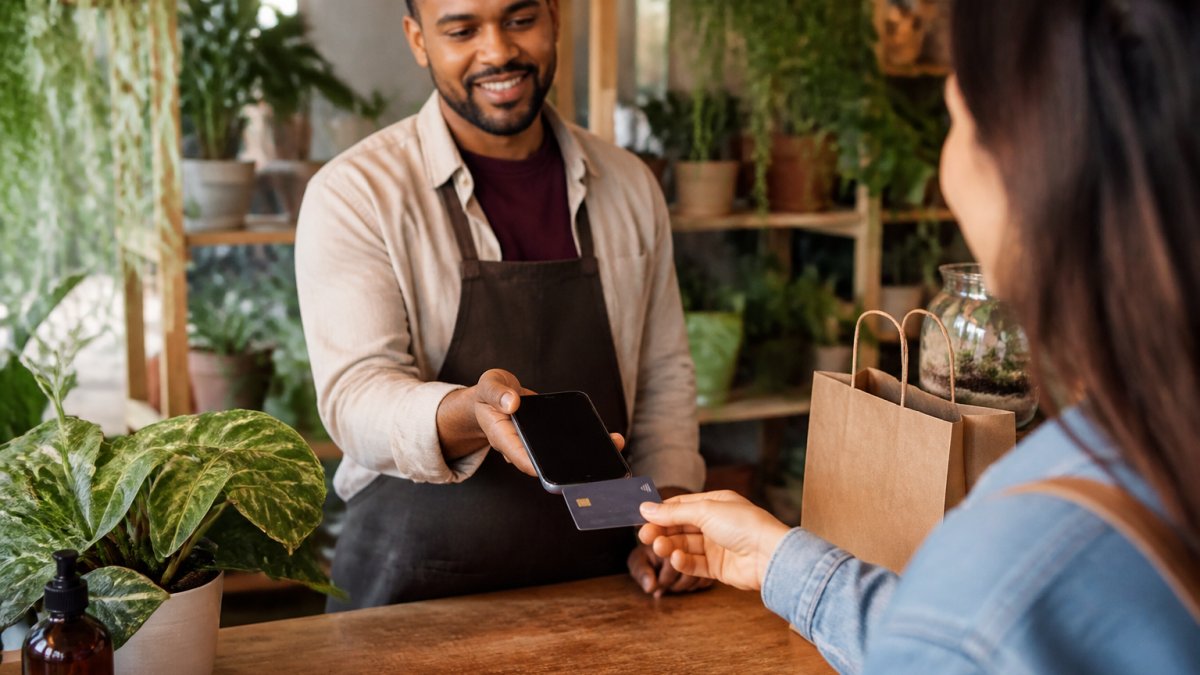
Tap to Pay suits market stalls, mobile services, and pop-ups where a dedicated terminal is overkill. The NFC Forum’s overview of near-field communication explains the short-range standard behind the tap.
Contactless Payment Terminals: Readers, Hardware, and Costs
Contactless payment terminals come in three shapes, and the shape should follow your counter, not the other way around.
- Countertop terminals: Fixed reader with a screen and keypad. Best for high-volume checkout lanes.
- Mobile readers: Bluetooth or docked readers paired to a phone or tablet. Best for tableside payment and mobile staff.
- All-in-one POS: A terminal with a built-in register, inventory, and reporting. Best when you want one system.
Hardware cost is only part of the picture. A low advertised rate with a monthly fee and paid hardware can cost more over a year than a slightly higher rate with free equipment. The Federal Trade Commission’s guidance on payment processing is a useful check on contract terms before you sign.
The most expensive mistake is signing a multi-year contract for hardware you could get free elsewhere. Read the termination clause before you sign; early-exit fees can exceed the equipment cost many times over.
How to Choose Contactless Payment Options for Small Businesses
Use a decision framework keyed to your business type and transaction volume, not to whichever provider advertises loudest.
- Count your monthly transactions and average ticket. Low volume with high tickets favors flat-rate pricing; high volume favors interchange-plus.
- Match hardware to your counter. Fixed lane, tableside, or mobile determines reader type.
- Check integration. Confirm the system works with your existing POS and accounting software before you commit.
- Compare total cost, not the rate. Add hardware, monthly fees, and chargeback costs.
- Test support. Call the support line before you sign and time the response.
If you want a single partner who handles equipment, integration, and support, Local Credit Card Processing offers free equipment, transparent pricing, and dedicated local tech support.
Security, Connectivity, and Implementation Checklist
Security and continuity are where contactless setups quietly fail, and they are also where the operational work begins after the sale. Contactless payments use tokenization: the card number is replaced with a one-time token, so an intercepted signal is useless. Still, you own the basics: keep terminal software updated, never store card data on paper, and reconcile payouts against sales daily.
Reconciliation, refunds, and disputes
A contactless transaction is not finished when the customer walks away. Build a daily routine that closes the loop:
- Match payouts to sales. Compare the processor’s daily settlement report to your point-of-sale totals. A mismatch usually means a refund, a void, or a chargeback you have not recorded yet.
- Record refunds at the moment they happen. A refund issued at the counter but logged later creates a reconciliation gap that takes longer to untangle than the refund itself.
- Know the chargeback window. Card networks generally allow a cardholder to dispute a transaction for a set period after the statement date. Keep receipts, signed estimates, and delivery records for at least that long.
- Submit dispute evidence through the processor’s portal, not by email. Evidence sent outside the formal workflow often does not count.
- Separate tips and adjustments from the sale amount in your records so the payout report and your books agree.
A common pattern is that a business reconciles weekly at first, then drifts to monthly, then discovers a stack of unresolved chargebacks. Daily reconciliation takes minutes; monthly reconciliation takes hours.
Connectivity and payment continuity
Connectivity deserves a written plan. If your internet drops, a terminal that only works online will stop taking payments. Choose a reader with offline mode or a cellular backup, and keep a manual fallback for outages.
Battery failure is the quieter version of the same problem. A phone-based tap-to-pay setup depends on the phone’s charge. Keep a charged backup device or a low-cost backup reader on hand for mobile operators and market vendors.
Implementation checklist
Before launch, run this checklist:
- Confirm each reader’s offline or backup mode and its transaction limits
- Train staff on tap, insert, and refund steps, including how to switch to the fallback method
- Set a daily reconciliation routine against payouts
- Document the chargeback and dispute process, including who submits evidence and by when
- Test a refund and a void end to end
An offline mode that queues transactions is not the same as accepting cash. Queued sales can still be declined when they settle, and the customer is long gone. Set a transaction cap for offline sales that matches your risk tolerance.
Run a live test transaction and a refund on every new reader before your first customer arrives. Most setup problems surface in that five-minute test, not on a busy Saturday.
Frequently Asked Questions
What is the best mobile payment app for small businesses?
The best app depends on your sales channels and hardware. For in-person only, apps that turn a phone into a card reader keep costs low. For multichannel sellers, choose an app that syncs online and in-person sales and integrates with your accounting software. Compare flat-rate versus interchange-plus pricing, monthly fees, and hardware costs. Request a quote from Local Credit Card Processing to see transparent options for your volume.
How do small businesses get Tap to Pay?
Tap to Pay requires a compatible smartphone or tablet and a payment app that supports near-field communication (NFC). You enable the feature in the app, then customers tap their contactless card or digital wallet on the device. No extra terminal is needed. Check that your payment provider supports Tap to Pay for small business and confirm any transaction fees. Setup usually takes minutes, but staff training helps avoid checkout mistakes.
Can a small business accept contactless card payments without a terminal?
Yes. A smartphone or tablet with NFC and a payment app can accept contactless cards and digital wallets directly. This is often called Tap to Pay. It works for businesses with low-to-moderate volume or mobile operations. For higher volume, a dedicated contactless payment terminal may be faster and more durable. Both options require a merchant account or payment service provider.
How much does it cost for a small business to accept contactless payments?
Costs vary by provider and setup. Expect transaction fees (flat-rate or interchange-plus), possible monthly fees, and hardware costs if you use a terminal. Some providers offer free equipment with a processing agreement. Pricing depends on your sales volume and business type. Local Credit Card Processing offers transparent pricing and free equipment, so request a quote for your specific needs.
Are contactless payments secure for small businesses?
Contactless payments use near-field communication (NFC) and tokenization, which replace card numbers with a unique code for each transaction. This reduces the risk of skimming and chargebacks. As a business, you still need to follow PCI DSS standards, use EMV chip readers for higher-value transactions, and monitor for fraud. Contactless is generally as secure as inserting a card, and often faster.
What equipment does a small business need to accept contactless payments?
You need a contactless-capable card reader or a smartphone/tablet with NFC, plus a payment app and a merchant account. For a countertop setup, a contactless payment terminal with a receipt printer is common. For mobile use, a phone or tablet with Tap to Pay works. Consider connectivity: Wi-Fi, Ethernet, or cellular backup to keep payments running during outages.
Contactless checkout only pays off when the hardware, fees, and support all work together without surprises. If you are tired of piecing together readers, apps, and processors, Local Credit Card Processing can simplify it: free equipment, easy integration with your existing systems, and dedicated local tech support when something goes wrong. Get started today and put a tap-to-pay option at your counter without the upfront cost.
Recent Comments