Table of Contents
- What Makes the Best Credit Card Processing Service
- Understanding Credit Card Processing Fees
- Flat-Rate vs. Interchange-Plus Pricing Models
- Best Credit Card Processors for Small Businesses
- How to Accept Credit Card Payments
- Switching Processors: What You Need to Know
- Security, Compliance, and Support Quality
- Frequently Asked Questions
Last Updated: October 19, 2026
What Makes the Best Credit Card Processing Service
Choosing a credit card processing service is one of the most important decisions a small business owner makes. The right processor reduces costs, minimizes downtime, and keeps your customers’ data secure.
What separates a great processor from an average one?
At Local Credit Card Processing, we’ve worked with hundreds of businesses across retail, restaurants, auto repair, and service industries. We’ve seen what works and what doesn’t.
Understanding Credit Card Processing Fees
Every time a customer swipes a card, multiple parties take a cut. Understanding these fees is the difference between a processor that saves you money and one that quietly drains it.
How Transaction Fees Impact Your Bottom Line
The transaction fee is what you pay per sale.
Here’s what matters: a small difference in rates compounds quickly. On $100,000 in monthly processing volume, a 0.5% difference equals $500 per month, $6,000 per year. Over five years, that’s real money.
The catch is that not all transactions cost the same to process. A card present at your counter costs less to process than a card-not-present transaction (phone order or online).
Hidden Costs Beyond the Rate
Transaction fees are only part of the story. Most processors layer on additional charges:
- Monthly fees for account maintenance or minimum processing volume
- Setup fees for equipment or account activation
- Chargeback fees when a customer disputes a transaction
- PCI compliance fees for security certification
- Early termination fees if you want to switch providers
Many businesses discover these hidden costs only after signing a contract. A truly transparent processor lists all fees upfront, with no surprises buried in the agreement.
The lowest advertised rate often masks higher hidden fees. Always request a full fee schedule and calculate your total annual cost, not just the per-transaction rate. A processor quoting 2.2% with no monthly fees may cost far less than one quoting 1.9% with $50 monthly charges.
Flat-Rate vs. Interchange-Plus Pricing Models
The way a processor charges you determines your actual cost. Two pricing models dominate the market.
When Flat-Rate Pricing Makes Sense
Flat-rate pricing charges the same percentage on every transaction, say, 2.9% plus $0.30. You know exactly what you’ll pay before the sale happens. No surprises. No variables.
Flat-rate works best for:
- Businesses with low monthly processing volume (under $50,000)
- Retail operations with mostly card-present transactions
- Businesses that value simplicity and predictability over savings
The downside: flat-rate doesn’t reward you for different transaction types. A debit card costs the same percentage as an expensive credit card, even though debit is cheaper to process. For high-volume businesses, that inefficiency adds up.
When Interchange-Plus Pricing Saves Money
Interchange-plus charges you the actual cost to process each transaction (interchange rate set by Visa and Mastercard) plus a markup from your processor.
This model works best for:
- Businesses processing over $100,000 monthly
- Operations with a mix of card types (debit, credit, rewards)
- Restaurants and retail with high transaction volume
The advantage: you pay only for what each transaction actually costs.
The downside: interchange rates fluctuate, so your costs vary month to month. You need to understand the pricing structure to evaluate your savings.
Visa’s interchange rate documentation provides the official rates that processors use in their calculations.
Best Credit Card Processors for Small Businesses
Not every processor is built for small operations. Some focus on enterprise clients and treat small businesses as an afterthought.
Local Credit Card Processing is built specifically for small to medium-sized businesses. We provide free equipment, no upfront costs for terminals or readers, and dedicated local tech support.
Local Support and Equipment Considerations
Equipment matters more than most guides acknowledge. A processor can quote great rates, but if the terminal is clunky, slow, or incompatible with your setup, you’ll regret the choice within weeks.
The best processors offer:
- Free equipment with no long-term rental fees built into your rate
- Multiple form factors (countertop terminals, mobile readers, virtual terminals for phone orders)
- Integration with your existing POS system rather than forcing you to replace everything
- Local tech support that can troubleshoot or replace equipment quickly
When you call support at 6 PM on a Friday with a broken terminal, you don’t want to wait in a queue for an offshore call center. You want someone local who understands your business and can get you back online fast.
Ask potential processors about their equipment replacement time. If a terminal fails, how long until a replacement arrives? For retail and restaurants, downtime costs money. A processor offering same-day or next-day replacement saves you far more than a slightly lower rate.
Integration and Scalability for Growing Operations
Your payment system needs to grow with your business. A processor that works fine at one location may not scale to three locations. A system that handles card-present sales may struggle with online orders.
The best processors offer:
- Omnichannel payment acceptance (in-person, online, phone, invoicing)
- Easy integration with popular POS systems and accounting software
- Reporting and analytics so you understand your transaction patterns
- Recurring billing for subscription or membership businesses
Local Credit Card Processing integrates with most POS systems and accounting platforms. As your business grows, whether you’re adding locations or sales channels, the system scales without forcing expensive upgrades.
How to Accept Credit Card Payments
Once you’ve chosen a processor, the actual implementation should be straightforward. A good processor makes this process simple.
In-Person Payment Acceptance Options
For retail, restaurants, and service businesses, in-person payment acceptance is your bread and butter. You have three main options:
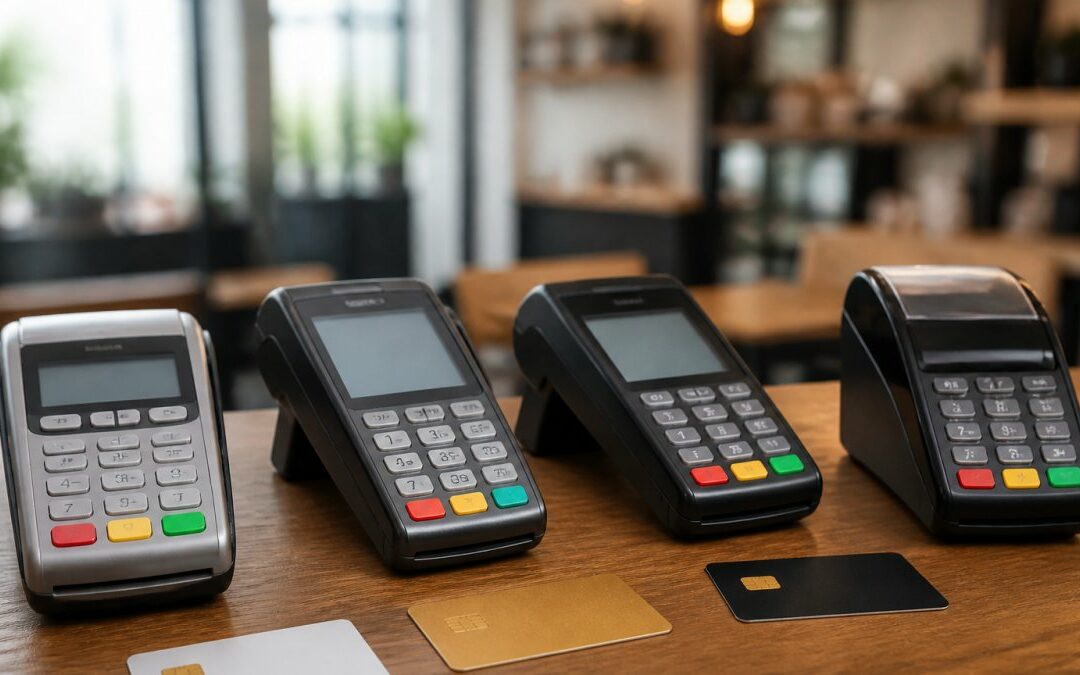
Countertop terminals work best for businesses with a fixed checkout location. They’re fast, reliable, and integrate directly with your POS system. Most customers are familiar with them.
Mobile card readers let you accept payments anywhere in your location. A server at a restaurant can process payment at the table.
Contactless and digital wallet payments (Apple Pay, Google Pay, contactless cards) are now table stakes. Customers expect them. Make sure your processor and equipment support these payment methods.

Online and Ecommerce Payment Processing
If you sell online, you need a payment gateway, the system that securely transmits card data from your website to the processor.
The best gateways:
- Process in real-time so customers get instant confirmation
- Support multiple payment methods (cards, digital wallets, buy-now-pay-later)
- Integrate with your shopping cart without custom coding
- Provide fraud detection to catch suspicious transactions
Local Credit Card Processing supports full ecommerce integration, including payment links for invoicing and shopping cart plugins for popular platforms.
The best payment processor for online sales offers the same transparent pricing and local support as your in-person setup. You shouldn’t need separate processors for different sales channels.
Switching Processors: What You Need to Know
If you’re unhappy with your current processor, switching is possible, but it requires planning to avoid downtime and data loss.
Avoiding Downtime and Data Loss During Migration
The biggest fear with switching processors is downtime.
Here’s how to avoid it:
Plan the transition. Work with your new processor to set a switch date well in advance. Don’t try to switch mid-month or during peak season.
Run both systems in parallel for a few days if possible.
Backup your data. Export transaction history, customer records, and recurring billing information from your old processor before the switch.
Test everything before go-live. Run test transactions through the new system. Verify that your POS integrates correctly.
Have a support contact ready. When you switch, have your new processor’s support team standing by.
Contract Terms and Exit Costs
Before signing with a processor, understand the contract terms. Some processors lock you in with expensive cancellation fees.
Key questions to ask:
- How long is the contract? Month-to-month is ideal. Multi-year contracts should come with significant savings to justify the lock-in.
- What are the early termination fees? Some processors charge months of processing fees as a penalty for leaving early.
- Are there equipment buyout costs? If they provided “free” equipment, do you have to pay for it if you leave?
- Can you switch POS systems without renegotiating? Your POS may need to change as your business grows. Make sure your processor doesn’t penalize you for that.
Local Credit Card Processing offers month-to-month agreements with no long-term lock-in. You’re never trapped in a contract.
Security, Compliance, and Support Quality
Payment processing involves sensitive customer data. Security and compliance aren’t optional, they’re essential.
PCI Compliance and Fraud Prevention
PCI DSS (Payment Card Industry Data Security Standard) is the security requirement for anyone handling credit cards. It covers everything from how you store data to how you train employees.
Non-compliance isn’t just a technical issue, it’s a legal liability. If a breach happens and you’re not PCI compliant, you face fines and lawsuits.
The best processors:
- Handle PCI compliance so you don’t have to manage it yourself
- Encrypt all data in transit and at rest
- Provide fraud detection to catch suspicious transactions before they become problems
- Offer chargeback management to help you dispute fraudulent chargebacks
PCI Security Standards Council guidelines outline the official requirements.
Responsive Support When You Need It
A processor with great rates but terrible support will cost you money through downtime and frustration.
What responsive support looks like:
- 24/7 availability for urgent issues (your payment system should never be down without someone to help)
- Local support that understands your business and can visit if needed
- Fast response times (under 1 hour for critical issues)
- Knowledgeable staff who can actually solve problems instead of reading scripts
When you call Local Credit Card Processing support, you reach someone who knows your business and can help immediately.
Before choosing a processor, test their support. Call them with a question. See how long you wait and whether the person who answers actually helps. That’s a preview of what you’ll experience as a customer.
| Feature | Why It Matters | What to Look For |
|---|---|---|
| Transparent Pricing | Hidden fees destroy your savings | All fees listed upfront, no surprises |
| Free Equipment | Reduces upfront costs | No rental fees or buyout requirements |
| Local Support | Downtime costs money | Same-day response and on-site help |
| Easy Integration | Saves implementation time | Works with your existing POS system |
| Flexible Contracts | Avoids lock-in | Month-to-month terms, no penalties |
| Fraud Prevention | Protects your business | Real-time detection and chargeback help |
Choosing the right credit card processing service isn’t about finding the lowest rate, it’s about finding the processor that reduces your total costs while keeping your business running smoothly.
Get started with Local Credit Card Processing and see how much you can save.
Frequently Asked Questions
What is the cheapest way to process credit card payments?
The cheapest approach depends on your transaction volume and average ticket size. Interchange-plus pricing typically costs less for businesses with high transaction volumes, while flat-rate pricing offers predictability for lower-volume operations. Comparing total annual costs across multiple scenarios, not just the advertised rate, reveals the true savings. Local processors often provide transparent pricing breakdowns and may waive equipment costs, which eliminates a significant upfront expense many small businesses face.
Is flat-rate or interchange-plus pricing better for small businesses?
Flat-rate pricing works best for small cafes, service businesses, and retailers with consistent, moderate transaction volumes because it’s predictable and requires no accounting for variable interchange costs. Interchange-plus pricing becomes advantageous as your transaction volume grows, since you pay only the actual interchange rate plus a small margin. Review your last 12 months of transactions to calculate which model would have cost less in your specific situation.
What happens to my data and operations when I switch credit card processors?
A smooth transition requires your new processor to coordinate timing with your old one to avoid payment processing gaps. Your transaction history, customer data, and reporting should transfer without loss when the provider handles the migration properly. Key questions to ask: Will you experience downtime? How long does the entire process take? Does the new processor handle PCI compliance documentation? Dedicated local support during the switch reduces risk of errors or service interruptions.
What should a small business look for in a credit card processor?
Prioritize transparent, all-in pricing that accounts for all fees; reliable local or responsive 24/7 support; easy integration with your existing POS or accounting software; and hardware that fits your operation size. Verify PCI compliance and fraud prevention capabilities. Check contract terms carefully, particularly cancellation fees and payout timing. Request references from similar businesses in your industry to confirm the processor delivers on service promises.
Recent Comments