
Table of Contents
- What Independent Restaurants Actually Pay for Payment Processing
- Restaurant Payment Processing Fees: Where the Money Goes
- Restaurant Merchant Services: What You Get Beyond Swiping Cards
- Restaurant POS Payment Integration: Matching the Processor to Your System
- Restaurant Payment Processing Equipment for Small Dining Rooms
- Contract Terms, Exit Costs, and Switching Without Downtime
- How to Compare Providers: An Apples-to-Apples Scorecard
- Frequently Asked Questions
Last Updated: October 18, 2026
What Independent Restaurants Actually Pay for Payment Processing
Payment processing for independent restaurants is the system that moves money from a diner’s card to your bank account, and it costs more than the rate sheet suggests. Below, we’ll show exactly where the money goes, how to compare providers on equal footing, and what to check before you sign.
A common mistake is treating every processor’s quote as comparable. They rarely are. One bundles equipment into a higher rate; another charges for statements, PCI compliance, and batch settlement. The only honest comparison is total annual cost at your actual transaction volume.
Restaurant Payment Processing Fees: Where the Money Goes
Every card transaction splits into three cost layers, and only one of them is negotiable.
Interchange, Assessments, and the Processor’s Cut
Interchange is the fee paid to the card-issuing bank. The processor’s markup is the only portion a provider controls, which is why a quote built on interchange-plus pricing is far easier to audit than a bundled flat rate.
Ask any provider to show the interchange and assessment lines separately. If they cannot, you cannot verify what you are actually paying for.
The Three Pricing Models, Side by Side
Almost every restaurant quote you receive is built on one of three models:
- Flat rate. One blended percentage (plus a per-transaction fee) on every card, regardless of card type. Simple to budget, but you overpay on debit and basic credit transactions and underpay on premium rewards cards, the processor absorbs the difference and prices it into the rate.
- Interchange-plus. You pay the actual interchange and assessments for each transaction plus a fixed markup (often a per-transaction cents figure plus a small percentage). The most transparent model and usually the cheapest at steady volume, but the monthly bill fluctuates with card mix.
- Subscription / membership. A flat monthly fee (often paired with near-cost processing) in exchange for a commitment. Attractive for high-volume operators who can forecast card volume, risky for seasonal restaurants whose slow months still carry the full fee.
A Worked Example at Realistic Volume
Numbers make the difference concrete. Assume an independent full-service restaurant doing $85,000 per month in card volume at a $42 average ticket, roughly 2,024 transactions per month.
Under a flat rate of 2.6% + $0.10 per transaction, the monthly cost is:
- Percentage: $85,000 × 2.6% = $2,210
- Per-transaction: 2,024 × $0.10 = $202
- Total: about $2,412 per month, or $28,944 per year
Under interchange-plus at cost + 0.20% + $0.10, the same volume typically lands closer to an effective 2.1%-2.3% depending on card mix.
That gap is why the headline rate is a trap. A flat-rate quote of 2.6% and an interchange-plus quote that lands at 2.2% effective look similar on a one-page proposal and diverge by thousands over a two-year term.
The Fees That Never Appear in the Quote
Rate is only part of the bill. Independent operators routinely pay:
- Monthly statement fee, often $5-$15
- PCI compliance fee, commonly $10-$30 per month, sometimes billed annually
- Gateway fee, $5-$25 per month if you are not on a bundled POS
Add those to the rate and the effective cost can climb by 0.1-0.3 percentage points, enough to erase the advantage of a “cheaper” processor.
How to Run the Comparison Yourself
Pull three months of statements. Total your card volume, count your transactions, and note your average ticket. Then, for each provider, calculate: (card volume × effective rate) + (transaction count × per-transaction fee) + all monthly fees + (equipment cost × 12). Compare the annual totals, not the rates. The provider with the lowest headline percentage frequently loses this exercise, and the one with the most transparent statement usually wins it.
Ask every provider for a written quote that separates interchange, assessments, markup, per-transaction fees, and monthly fees. A quote you cannot decompose line by line is a quote you cannot compare.
Restaurant Merchant Services: What You Get Beyond Swiping Cards
Restaurant merchant services cover far more than the card reader on the counter. A complete package typically includes the merchant account that holds your funds, the payment gateway that routes transactions, reporting that reconciles to your POS, and support when a terminal fails during dinner service.
The support piece matters most in practice. A payment problem at 6 PM on a Friday is a lost night of revenue, not an inconvenience. Ask providers how after-hours help works and whether you reach a local team or a call queue.
Choosing a processor on rate alone is the most common and most expensive mistake. A slightly higher rate with fast, local support often costs less than a cheap rate paired with a slow ticket queue during peak service.
Restaurant POS Payment Integration: Matching the Processor to Your System
Restaurant POS payment integration determines whether your terminals talk to your point-of-sale software cleanly. When integration is solid, tips, split checks, and end-of-day settlement reconcile without manual work.
Before switching, list what your POS actually runs today. Ask the provider to confirm compatibility in writing rather than assuming. (Source: Federal Trade Commission’s guidance on unfair or deceptive acts or practices)
- Confirm tip adjustment and split-check handling work natively
- Check whether settlement reports export to your accounting setup
- Verify offline mode keeps card-present transactions running during outages
Restaurant Payment Processing Equipment for Small Dining Rooms
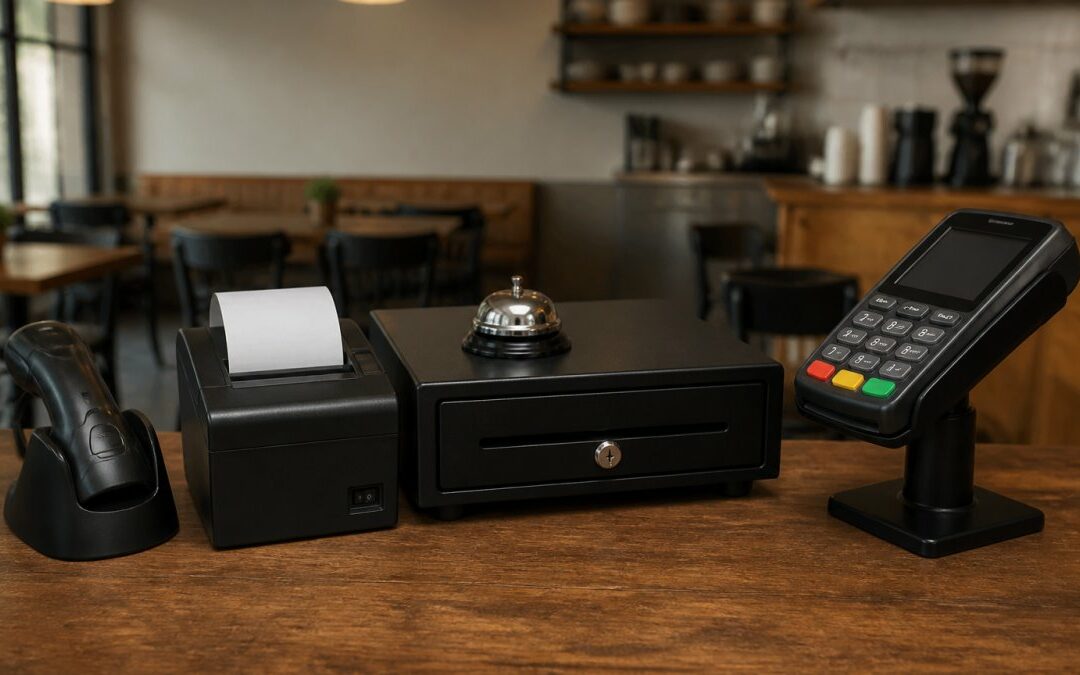
Restaurant payment processing equipment should fit a three-terminal cafe as well as a larger dining room. The core kit is a countertop terminal or card reader, a handheld device for tableside payments, and a receipt printer.

Hardware cost is where contracts hide. “Free” equipment is usually tied to a multi-year term with an early termination fee, so the machine is only free if you stay.
For a small dining room, a handheld reader plus one countertop terminal covers most service. You rarely need more hardware than that, and fewer devices means fewer fees and fewer failure points.
Contract Terms, Exit Costs, and Switching Without Downtime
Contract terms and exit costs decide how much freedom you actually have. A low rate locked into a long agreement with a steep termination fee is not a saving; it is a commitment. Read the term length, the early termination fee, and any equipment clause before signing.
The Clauses That Cost You Money
Most independent-restaurant processing agreements hide cost in a handful of places. Know each one before you sign:
- Term length and auto-renewal. Many agreements run 24-36 months and renew automatically unless you give written notice, often 30-90 days before the renewal date. Miss the window and you are locked in for another full term.
- Early termination fee (ETF). Commonly structured as a flat fee (frequently $250-$500) or as the remaining months of a minimum monthly fee multiplied out. Some contracts charge the greater of the two.
- Minimum monthly processing fee. If your card volume drops below a threshold, common in slow seasons, the processor bills the difference. A seasonal restaurant can pay full freight in January for volume it did not run.
How to Negotiate Before You Sign
Almost every term above is negotiable at signing, even when the sales rep says it is standard. Ask for:
- A month-to-month or 12-month term instead of 36 months
- No auto-renewal, or a renewal that requires your written consent
- No minimum monthly fee, or a seasonal minimum that matches your slow months
Get every concession in the signed contract, not in an email. The contract is what governs when a dispute arises.
Switching Without Downtime: A Practical Sequence
Migration does not have to mean a lost service. A sensible cutover runs in parallel and follows a fixed order:
- Read your current contract first. Confirm the termination notice window and the ETF before you do anything else. Give notice in writing and keep the confirmation.
- Confirm POS compatibility in writing. Ask the new provider to confirm your exact POS model and version integrate natively, not “should work.”
- Export your stored payment data. Recurring billing, stored cards, and gift-card balances must transfer cleanly. Ask the new provider to walk you through the import in writing, and test a small batch before the full cutover.
- Run both systems in parallel for one settlement cycle. Keep the old terminal live until the new system produces a clean settlement that reconciles to your POS reports.
- Schedule cutover outside peak service. A Tuesday lunch is safer than a Friday dinner. Train staff on the new terminal before the switch, not during it.
- Reconcile the first three settlements line by line. Confirm tips, split checks, and batch totals match your POS. Catch discrepancies while the old system is still available for comparison.
Never cancel your old processing account before the new system has produced at least one clean settlement. Cancelling early leaves you with no way to process cards if the new integration fails on day one.
What to Get in Writing Before You Switch
Ask the new provider for a written migration plan that names the cutover date, the data-transfer steps, the training schedule, and the support contact for the cutover window. A provider that cannot produce that plan in writing is a provider that has not done many restaurant migrations, and you will feel the difference at 6 PM on a Friday.
The cheapest exit is the one you negotiated before you signed. Term length, ETF, minimums, and equipment ownership are all decided at signing, read them then, not when you want to leave.
How to Compare Providers: An Apples-to-Apples Scorecard
Comparing providers fairly means scoring the same criteria for each one, using your own numbers. Rate alone tells you almost nothing. Use this scorecard and score each provider from 1 to 5.
| Criterion | What to Check | Weight |
|---|---|---|
| Effective rate | Total annual cost divided by card volume | High |
| Monthly fees | Statement, PCI, gateway, batch fees | High |
| Equipment | Cost, ownership, and term lock-in | High |
| POS integration | Confirmed compatibility with your system | High |
| Support | After-hours access and local response | High |
| Contract | Term length and exit cost | High |
| Reporting | Settlement and tip reconciliation quality | Medium |
The provider with the lowest headline rate rarely wins the scorecard. Total cost, integration fit, and support speed decide what you actually pay and what you actually lose when something breaks.
Local Credit Card Processing builds its service around exactly these criteria: free equipment with no upfront cost, transparent pricing, easy integration with your existing system, and dedicated local tech support backed by 24/7 customer support.
Frequently Asked Questions
What should an independent restaurant compare when choosing a payment processor?
Compare the effective rate you will pay at your average ticket, not the advertised headline rate. Ask for interchange-plus pricing, the monthly fee, per-transaction fees, chargeback fees, and PCI compliance costs in writing. Then check POS compatibility, equipment cost, contract length, and exit fees. A restaurant payment processing deal that looks cheap on rate can cost more once monthly fees and a multi-year contract are added. Get the total two-year cost from each provider before signing.
How do restaurant payment processors charge fees?
Every card transaction carries interchange fees set by the card networks and issuing banks, plus assessments, plus the processor’s markup. Flat-rate pricing bundles these into one percentage, which is simple but usually costs more on higher tickets. Interchange-plus pricing passes interchange through at cost and adds a fixed markup, so restaurant payment processing fees scale more predictably as your average transaction value rises. Ask each provider to quote both models at your actual monthly volume.
Can a restaurant use its existing POS system with a new payment processor?
Often yes, but it depends on whether your POS is open to outside processors or locked to one. Some systems allow any processor that supports their payment terminal or gateway; others require their own processing. Before switching, confirm the integration path in writing, ask whether tips, split checks, and tableside payments still work the same way, and check whether any data migration is needed. A test transaction on one terminal before the full cutover catches most problems.
What happens to tips, split checks, and chargebacks when I switch processors?
Tip adjustment and split checks are handled by your POS, so they should carry over as long as the integration is confirmed before cutover. Chargebacks are different: each processor has its own dispute portal and deadlines, so ask how disputes are filed, what the chargeback fee is, and who contacts you when one arrives. Keep your old processor’s dispute records for at least a year after switching so you can respond to any chargeback filed against a transaction processed before the change.
Running a restaurant leaves little time to audit statements, and payment problems never wait for a convenient moment. Local Credit Card Processing gives independent operators free equipment, transparent pricing, easy integration with existing POS systems, and dedicated local tech support with 24/7 availability. Get started with Local Credit Card Processing and keep your focus on the dining room, not the terminal.
Recent Comments