Table of Contents
- Types of Credit Card Processing Machines
- Choosing a Credit Card Machine for Small Business
- Wireless Credit Card Terminal Options
- How to Set Up a Credit Card Terminal
- Step 1: Open Your Merchant Account [Time: 5-10 minutes]
- Step 2: Unbox and Connect the Hardware [Time: 5 minutes]
- Step 3: Run a Test Transaction [Time: 5 minutes]
- Step 4: Train Your Staff [Time: 5-10 minutes]
- Credit Card Terminal Troubleshooting Basics
- Factors to Consider When Choosing a Processing Machine
- Frequently Asked Questions
Last Updated: October 8, 2026
Types of Credit Card Processing Machines
Choosing a credit card processing machine starts with one question: where will you take payments? A credit card processing machine is the hardware that reads a card, sends the transaction to your processor, and confirms the sale. The right type depends on your counter space, your internet, and how often you leave the building.
At Local Credit Card Processing, we set up equipment for shops, cafes, and repair garages. Here is how the three main types compare.

Countertop Terminals
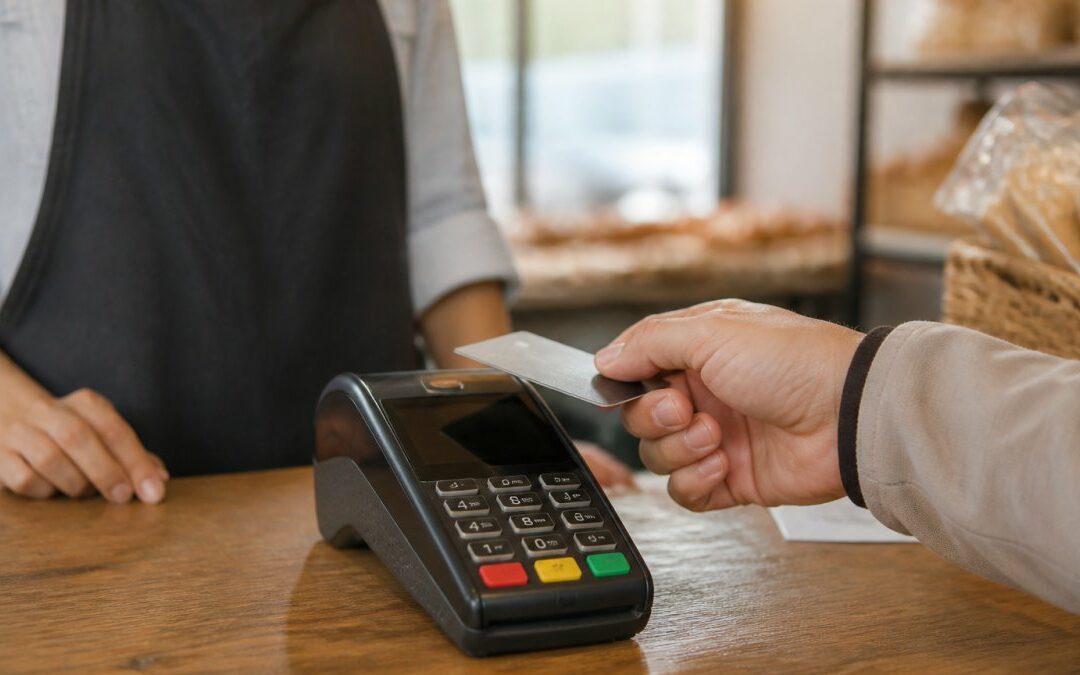
A countertop terminal stays plugged in at your register. It runs on your internet or phone line and handles card swipes, dips, and taps.
These machines suit fixed checkout lanes. They cost less than full POS systems and rarely drop a connection. If your staff stands in one spot all day, this is the simplest option.
Mobile and Portable Terminals
Mobile terminals run on a battery and a wireless signal. Your staff can carry one to a table, a job site, or a customer’s car.
Portable units connect over Wi-Fi or a cellular plan. That makes them the right fit for restaurants with patio seating, mechanics who take payment in the bay, and anyone who sells at markets.
Integrated POS Systems
An integrated POS system combines your register, card reader, and software in one unit. The terminal is built into the point-of-sale screen.
These systems track inventory, print receipts, and run reports. They cost more upfront, but they cut down on separate devices and double entry. Best for businesses that want sales data in one place.
Choosing a Credit Card Machine for Small Business
For most small businesses, the best credit card machine for small business use is a countertop terminal with tap-to-pay, backed by a processor that answers the phone. Fancy hardware means little if support is slow when a line is down.
Here is what matters most when you pick:
- Where you take payments. One fixed counter points to a countertop unit. Tables and job sites need a portable.
- Your internet setup. Wi-Fi works for most. A cellular backup keeps you running when the network drops.
- Your software. Check that the machine works with your current POS before you buy.
- Support hours. Ask what happens at 6 PM on a Friday. You want a real person, fast.
- Total cost. Free equipment with clear rates often beats cheap hardware with hidden fees.
A common mistake is buying hardware first and shopping for a processor second. Do it the other way around. The processor decides your rates, your support, and which machines you can even use.
Ask any provider for a written quote that lists every fee: monthly, batch, statement, and PCI. The rate on the sales page is rarely the rate on your bill.
Wireless Credit Card Terminal Options
A wireless credit card terminal is any machine that connects without a fixed cable, using Wi-Fi, Bluetooth, or a cellular network. The right pick depends on how far your staff moves and how steady your signal is.
Three setups cover most needs:
| Terminal Type | Connection | Best For | Watch Out For |
|---|---|---|---|
| Wi-Fi portable | Your router | Cafes, small shops | Dead spots in back rooms |
| Cellular terminal | Built-in data plan | Markets, job sites | Monthly data cost |
| Bluetooth reader | Paired to a phone or tablet | Pop-ups, service calls | Needs the paired device nearby |
Signal strength decides everything here. Walk your space with a phone and check the bars where you plan to take payments. A terminal that loses signal mid-sale frustrates customers and staff alike.
If your business runs on appointments or deliveries, a cellular unit removes the guesswork. It works wherever there is coverage, no router required.
How to Set Up a Credit Card Terminal
Setting up a credit card terminal takes about 15 to 30 minutes for most countertop and portable units. You need your business details, your bank information, and a steady internet connection.
Total Time: 20-30 minutes
Difficulty: Beginner
What You’ll Need:
- Your business name, address, and tax ID
- A bank account for deposits
- Your Wi-Fi password or a cellular signal
- The processor’s setup guide or support line
Step 1: Open Your Merchant Account [Time: 5-10 minutes]
Apply with your processor and submit your business details. Approval usually comes through the same day for straightforward businesses. (Source: PCI DSS requirements)
Expected Result: You receive login credentials for your merchant portal.
Step 2: Unbox and Connect the Hardware [Time: 5 minutes]
Plug in the power cable and connect the terminal to your Wi-Fi or cellular network. Follow the on-screen prompts to link it to your account.
Expected Result: The terminal shows a ready screen.
Step 3: Run a Test Transaction [Time: 5 minutes]
Process a small sale on your own card, then void it. This confirms the machine talks to your bank and your processor.
Expected Result: The test sale appears in your portal and the void clears it.
Step 4: Train Your Staff [Time: 5-10 minutes]
Show your team how to take a sale, run a refund, and print or text a receipt. Keep the support number by the register.
Expected Result: Any staff member can complete a sale without help.
Never skip the test transaction. A terminal that looks ready can still fail on the first real sale, and that means a lost customer at the counter.
Credit Card Terminal Troubleshooting Basics
Most credit card terminal troubleshooting comes down to four problems: no connection, a declined card, a frozen screen, or a receipt that will not print. Check the simple causes first before you call support.
- No connection. Restart the terminal and your router. Confirm the Wi-Fi password has not changed.
- Card declined. Try the card again, then ask for another form of payment. A decline is usually the bank’s call, not your machine’s.
- Frozen screen. Hold the power button for 10 seconds to force a restart.
- No receipt. Check the paper roll and the cover latch. Most printers stop when the roll runs out.
- Batch not settling. Settle manually from the menu before you close for the day.
If two restarts do not fix it, call support. A good provider walks you through it or ships a replacement unit. Downtime costs you sales, so speed matters more than a perfect fix.
Factors to Consider When Choosing a Processing Machine
The machine is only half the decision. The processor behind it sets your rates, your contract terms, and how fast you get help when something breaks. Weigh these factors before you sign.
Rates and fees. Ask for the full fee list in writing. Watch for monthly fees, batch fees, and PCI compliance charges.
Contract terms. Check the length and any early termination fee. Month-to-month terms keep you free to switch.
Support. Confirm the hours and how you reach a human. Local support means faster fixes and less downtime.
Equipment cost. Free equipment removes your upfront risk. Just make sure the rates stay fair over the life of the deal.
Integration. Confirm the machine works with your current POS. Replacing a working system adds cost and disruption.
Security. Your terminal should accept EMV chip cards and contactless taps. That protects you and your customers.
The best machine is the one your processor supports well. Hardware is easy to swap. A bad contract and slow support follow you for years.
Local Credit Card Processing provides free equipment, dedicated local tech support, and 24/7 customer support. Our transparent pricing keeps the rates clear, and our team integrates the machine with the systems you already run.
Frequently Asked Questions
What is a credit card processing machine?
A credit card processing machine is a device that reads card information, sends it to a payment processor for authorization, and completes the transaction. It can be a countertop terminal, a portable unit, or part of a larger POS system. Most machines connect via phone line, ethernet, Wi-Fi, or cellular signal. The machine encrypts card data to meet payment card industry standards and prints or displays a receipt for the customer.
How much does a credit card processing machine cost?
Costs vary based on the type of machine and the provider. Some providers offer free equipment when you sign up for their processing services, while others charge upfront or lease fees. Pricing depends on the number of terminals, your transaction volume, and contract terms. Always ask for a full breakdown of monthly fees, per-transaction rates, and any early termination penalties before committing. Check the provider’s website for current pricing or request a quote.
Can a credit card machine work without internet?
Yes, many machines can operate without an internet connection. They may use a traditional phone line, a cellular data connection, or store transactions offline for later processing. Wireless terminals often rely on cellular signals, so they work in areas without Wi-Fi. However, offline mode has limits, such as lower transaction caps and delayed settlement. Confirm with your provider whether your machine supports offline processing and what the limits are.
What should I do if my credit card terminal stops working?
Start with basic checks: confirm the power cord is secure, restart the terminal, and verify your internet or phone connection. If the screen is blank or frozen, try a hard reset. For error messages, note the code and contact your provider’s support line. Many issues, such as a lost signal or a paper jam, are simple to fix. Keep your provider’s support number handy and ask about average response times if you rely on local technical help.
Picking the wrong machine or the wrong processor costs you time, sales, and patience. Local Credit Card Processing gives you free equipment, dedicated local tech support, and 24/7 customer support so your counter never stops. Our team handles setup and integration, and our transparent pricing keeps every fee in view. Get started with Local Credit Card Processing and take payments with confidence.
Recent Comments