
Last Updated: November 7, 2026
Quick Summary
Yes, comparing payment processing for independent cafes is worth it because card fees apply to nearly every sale and shrink thin margins. Compare the all-in cost per transaction, including hardware, monthly fees and contract terms, not just the headline rate.
- Card fees grow with sales, so small per-transaction differences add up on high-volume counters.
- Flat-rate pricing is predictable, while interchange-plus can be cheaper at higher volume.
- Watch for monthly fees, PCI compliance charges and early termination penalties hidden behind low rates.
- Compare total cost over 12 to 24 months, including hardware, subscriptions and per-transaction fees.
- Run the numbers using your own average ticket and monthly volume before choosing a provider.
Table of Contents
- Why Payment Processing Costs Matter More for Independent Cafes
- How Cafe Credit Card Processing Fees Are Structured
- Comparing the Best POS Systems for Coffee Shops
- Counter Service, Tableside and Mobile Payment Workflows
- Online Payment Processing for Independent Cafes
- Free Payment Processing for Independent Cafes: What Is Really Free
- Booking a Side-by-Side Cost Review for Your Cafe
- Frequently Asked Questions
Why Payment Processing Costs Matter More for Independent Cafes
Payment processing for independent cafes is one of the few operating costs that grows directly with sales. Every card transaction carries a fee, so a busy counter with thin margins feels that cost more sharply than a larger chain with negotiated rates. Federal Reserve Payments Study tracks how card payments dominate consumer spending, which means processing fees touch nearly every sale you make.
Coffee is a high-volume, low-ticket business. A $5 latte sold 300 times a week turns a small per-transaction difference into real money over a year.
Our advice is simple: know your all-in cost per transaction before you choose a system. Hardware, monthly fees and contract terms matter as much as the headline rate.
How Cafe Credit Card Processing Fees Are Structured
Most processors charge a combination of interchange, assessment and markup. Interchange is set by card networks and issuing banks, so it varies by card type and transaction method (Federal Reserve Board – Regulation II). The processor’s markup is where pricing models differ.
Flat-rate pricing charges one percentage plus a fixed fee per transaction. See how flat fee and interchange plus pricing compare to find which saves your business money. It is predictable and easy to read, which suits many small operators. Interchange-plus pricing passes through the actual card network cost and adds a fixed markup, which can be cheaper at higher volume but requires careful reading of statements.
A reader comparing options should run the numbers using their own average ticket and monthly volume.
Watch out: a low advertised rate often hides monthly fees, PCI compliance charges or early termination penalties. Ask for a full fee schedule before signing.
Comparing the Best POS Systems for Coffee Shops
A point-of-sale system is the hub that connects your register, card reader, menu, and sales reporting. Learn about the many types of point of sale systems to find the best fit for your cafe. For coffee shops, the right system handles fast counter ordering, modifiers such as milk type and extra shots, and inventory for beans, cups, and syrups. The comparison that matters is not which system has the longest feature list but which one keeps your line moving and your effective cost per transaction low.
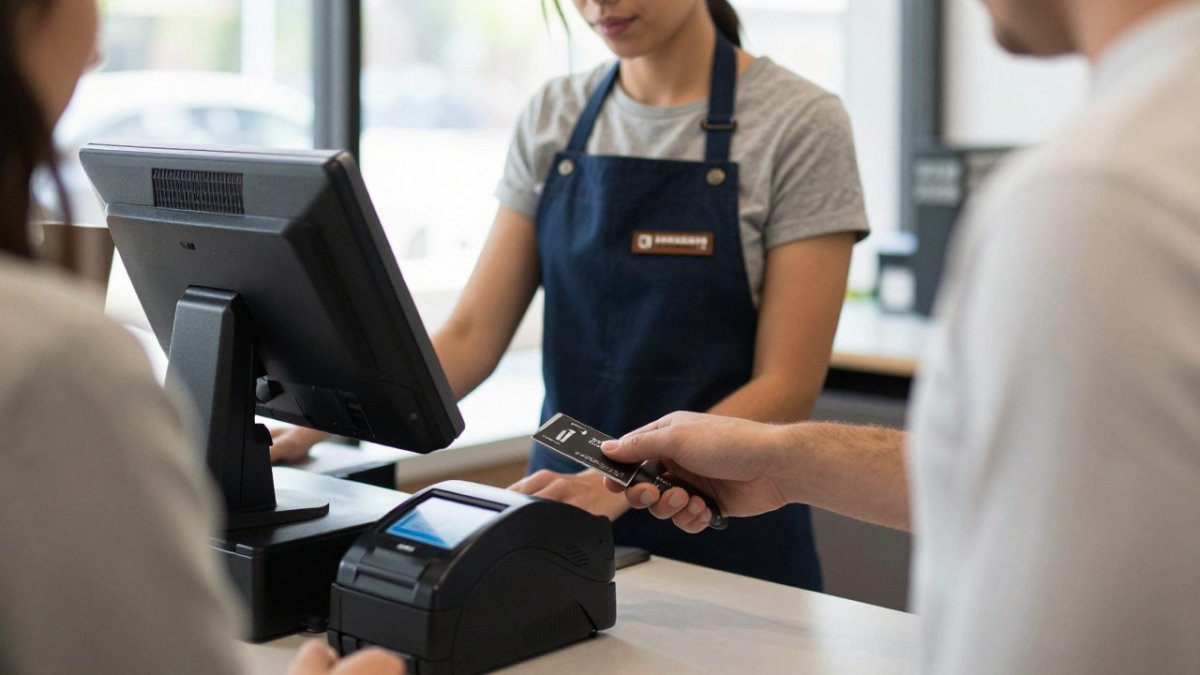
Choosing the right category matters more than chasing the newest feature list. Explore the point of sale systems offered here to see which setup fits your counter. Most independent cafes fall into one of three practical setups: a tablet-based POS with a card reader, a purpose-built cafe terminal, or a mobile reader for pop-ups and carts. Each carries different hardware costs, contract terms, and processing rates.
|
System Type |
Best For |
Typical Setup |
Watch For |
|---|---|---|---|
|
Tablet countertop |
Single-location cafes |
Tablet, card reader, cash drawer |
Hardware lock-in and app subscription fees |
|
Terminal-based |
Cafes with fixed registers |
Standalone terminal |
Less flexible menu changes and higher hardware cost |
|
Mobile card reader |
Pop-ups and carts |
Phone or tablet plus reader |
Connectivity during peak hours and lower transaction limits |
When you compare systems, ask for the full cost picture over 12 to 24 months: hardware purchase or lease, monthly software subscription, per-transaction fees, PCI compliance charges, and early termination penalties. Contact the team for personalized support and expert advice. A system that looks cheap on the sticker can cost more once those line items are added.
Cafe-specific features to verify before you commit include modifier menus that handle milk alternatives and extra shots without slowing the register, and inventory tracking for beans and syrups. If you run a busy morning rush, test the order-entry flow with a real menu and a line of three or four customers. A system that requires too many taps per drink will cost you more in lost throughput than any processing fee.
Before you sign, confirm whether the hardware is locked to one processor and what data export looks like if you switch. Portability and contract exit costs are where many independent cafes get stuck.
Best for: single-location independent cafes with a few terminals and a steady counter workflow. Skip if: you run a multi-location operation that needs enterprise reporting or you need tableside ordering across a large floor.
Counter Service, Tableside and Mobile Payment Workflows
Most independent cafes run counter service, where speed decides whether a line keeps moving. Tap-to-pay with contactless cards and mobile wallets shortens transactions, which matters when three customers are waiting. (Source: Regulation II)
Some cafes also offer table service or patio ordering. Tableside payment through a handheld device lets staff take payment without walking the customer to the register. Confirm that your system supports these workflows before you commit to a model.
Mobile payments add flexibility for events and outdoor seating. Test the setup during a slow period so a dropped connection does not stall a rush.
Online Payment Processing for Independent Cafes
Online ordering and pickup have become standard for many cafes. Online payment processing lets customers pay before they arrive, which reduces wait times and smooths out peak periods. But online payments behave differently from counter transactions, and the differences affect your cash flow and your effective rate.
Online transactions are typically card-not-present, which means they often carry a different interchange rate than a tap at the counter. When you compare providers, ask for the card-not-present rate separately from the card-present rate, and run the numbers using your actual mix of online and in-store sales.
Payout timing is an easily overlooked factor. Online orders can settle on a different schedule than in-store batches, and weekend or holiday orders may not hit your account until the next business day. Ask each provider how online payouts are scheduled, whether reserves are held for online orders, and what happens to your cash flow during a busy weekend.
Integration is the second practical concern. If your online ordering system is separate from your in-store POS, you create reconciliation work that small teams rarely have time for. Look for a setup where online orders sync to the same menu, inventory, and sales reports as your counter sales. That way a sold-out syrup or a price change updates in one place, not two.
When evaluating online options, check how payouts are scheduled, what fees apply to web transactions, and whether the system syncs with your in-store POS. Also confirm how refunds and chargebacks are handled online, since a disputed pickup order can tie up funds longer than a counter refund. Test the online checkout during a slow period so a dropped connection or a failed payment does not stall a rush.
A common pattern among independent cafes is to start with a simple online ordering link and add features as volume grows. The key is to choose a provider whose online and in-store pricing you can compare on the same statement, so you can see your true all-in cost rather than a headline rate that applies only to one channel.
Free Payment Processing for Independent Cafes: What Is Really Free
Some providers advertise free equipment or free setup. Read the agreement to see whether that cost is recovered through processing rates or contract terms. Read the agreement to see where that cost appears.
Compare the total cost over 12 to 24 months, including fees, not just the hardware price.
Ask directly: what is the effective rate on my typical transactions, and what happens if I cancel early?
Booking a Side-by-Side Cost Review for Your Cafe
The most reliable way to compare providers is to run your own statements through each proposal. A side-by-side review uses your real ticket sizes, card mix and monthly volume to show the true cost of each option.
Local Credit Card Processing provides dedicated local tech support for small businesses.
Get started with Local Credit Card Processing for free equipment and dedicated local tech support.
Frequently Asked Questions
What are the best payment processors for small businesses?
The best choice depends on your monthly card volume, average ticket size and whether you need a fixed contract. Compare providers on a like-for-like basis: the effective rate per transaction, monthly fees, hardware costs, and contract exit terms. A low advertised rate can cost more than a slightly higher rate with no monthly fee if your card volume is modest. Ask each provider for a written statement of all fees and run your last three months of statements through their calculators before deciding.
What is the best POS system for a small cafe?
A small cafe with three terminals needs a system that handles menu management, modifiers, tableside or counter ordering, and sales reporting without overbuilding. Check whether the POS works offline during internet outages, whether it integrates with your chosen payment processor, and how quickly staff can add menu items. Ask for a demo using your actual menu, and confirm the hardware cost and ongoing software fees separately.
What payment methods should an independent cafe accept?
Most independent cafes should accept chip cards, contactless cards, and mobile wallets such as Apple Pay and Google Pay, since these make up most card payments at the counter. Accepting cash remains useful for some customers. Consider whether online ordering needs its own payment page. Each method carries its own processing cost, so check how your processor prices card-present versus card-not-present transactions before deciding which methods to enable.
How can a small cafe reduce payment processing costs?
Start by reviewing a recent statement to see the effective rate you actually paid, not the advertised rate. Look for monthly fees, statement fees, and PCI compliance charges that add to the total. Batch settlements daily, make sure card-present transactions are processed through the terminal rather than keyed in, and ask whether interchange-plus pricing would lower your costs at your volume. Renegotiate or switch providers only after comparing the full annual cost.
https://www.facebook.com/localcreditcardprocessing

Recent Comments